Tag: Ergonomics

  • Managing Fibromyalgia Flares When You Work From Home

    Managing Fibromyalgia Flares When You Work From Home

    Working from home removes the commute, but it does not remove fibromyalgia. A familiar desk can still feel unbearable during a flare, and an ordinary email can take more concentration than you have available. You deserve a plan that acknowledges that reality.

    Decide what actually needs today

    Before opening every message, identify one essential responsibility. Can it be postponed, simplified, or handed over? Write down the next small step so you do not have to keep the whole project in your head. An urgent-looking inbox is not always an accurate picture of your priorities.

    Prepare a short message for difficult mornings: “I’m managing a health flare today. I can complete the summary, but I need to move the presentation to Thursday.” You can discuss the work impact without sharing every symptom.

    Make room for stopping

    Keep frequently used items close, support your arms, and change position when it feels useful. Short pauses may make a workday more manageable, but they are not a treatment or a guarantee against worsening symptoms. Avoid turning breaks into another timed performance test.

    Some flares call for sick leave, medical advice, or a broader conversation about accommodations. Working through severe symptoms is not proof of commitment. When work is possible, a smaller day is still a legitimate day. When it is not, rest does not need to be earned by finishing one more task.


  • A More Comfortable Desk Setup for Work and Side Projects

    A More Comfortable Desk Setup for Work and Side Projects

    A desk setup should serve the person using it. When pain or fatigue changes what feels tolerable, the goal is not to hold one supposedly perfect posture all day. It is to make common tasks easier and give yourself options.

    Notice the task that bothers you most

    Is the keyboard too far away? Are your feet dangling? Does the screen make you bend your neck? Start with one adjustment using what you already have. A stable foot support or a separate keyboard may help more than replacing the entire desk.

    Keep your mouse close, allow your forearms support where comfortable, and place frequently used supplies within easy reach. Make sure improvised supports are stable and do not block ventilation or create a trip hazard.

    Build flexibility into the day

    Alternate tasks when possible: a short call, a little typing, then a genuine pause. Standing desks are optional and may be unsuitable if standing worsens your symptoms. A setup that looks impressive online is not automatically right for you.

    Before buying equipment, consider a workplace assessment, an occupational therapist’s advice, or a returnable trial. Keep notes about what actually changes your comfort. Persistent numbness, weakness, or worsening pain deserves clinical attention. You do not need to solve the entire workspace in an afternoon; one useful adjustment is enough to begin learning what supports you.

  • Voice Typing and Assistive Tools for Hand Pain

    Voice Typing and Assistive Tools for Hand Pain

    When typing hurts, it can feel as though every message comes with a physical cost. Voice input and other accessibility tools may reduce some repetitive work, but the right setup should match your tasks, privacy needs, and comfort.

    Start with one ordinary task

    Try dictating a short personal note before using voice input for a long document. Speak in manageable phrases, then review the result. Names, numbers, and medical or technical terms often need checking. Save frequently used phrases as templates if speaking the same sentence repeatedly is tiring too.

    Keyboard shortcuts, larger click targets, a different pointing device, or text expansion may also help. You do not need to adopt every tool at once. Choose the task that currently costs you the most effort.

    Protect privacy while making access easier

    Check whether your employer permits the tool and how it handles sensitive information. Avoid dictating confidential details where others can hear. Recording meetings requires appropriate permission and compliance with workplace rules; captions or shared written notes may be alternatives.

    Assistive technology does not have to make work completely painless to be worthwhile. It also should not be used to push through worsening symptoms. If hand pain, numbness, or weakness persists, seek assessment and ask about occupational therapy or workplace support. A different way of communicating is still professional, and your access needs are legitimate.

  • Desk Mobility Breaks for Stiffness

    Desk Mobility Breaks for Stiffness

    After a stretch at a desk, you may notice that your shoulders have crept upward or your hands are gripping the mouse more tightly than necessary. A pause can be a chance to change the task or position before deciding whether movement would feel helpful.

    Begin by making space

    Set down what you are holding and let your arms rest on a comfortable support. Check whether the keyboard is too far away or the screen is pulling your attention downward. Sometimes adjusting the workspace is more useful than adding an exercise to compensate for it.

    If movement is part of your usual care plan, use a small, comfortable motion you already know suits you. Avoid forceful neck circles, deep stretches, or a fixed repetition target borrowed from someone else. Stop if you develop pain, tingling, dizziness, or another concerning symptom.

    Let a break remain a break

    You can look away from the screen, change your seated position, or do nothing for a moment. You do not have to turn every pause into a miniature workout. If movement worsens symptoms later, note that pattern and discuss it with a clinician familiar with your condition.

    Persistent stiffness or pain may call for a workstation assessment or individualized advice. The aim is not to correct your body every half hour. It is to make the working day more responsive to the body you have.

  • Working from Bed: A Supported Setup and Clear Limits

    Working from Bed: A Supported Setup and Clear Limits

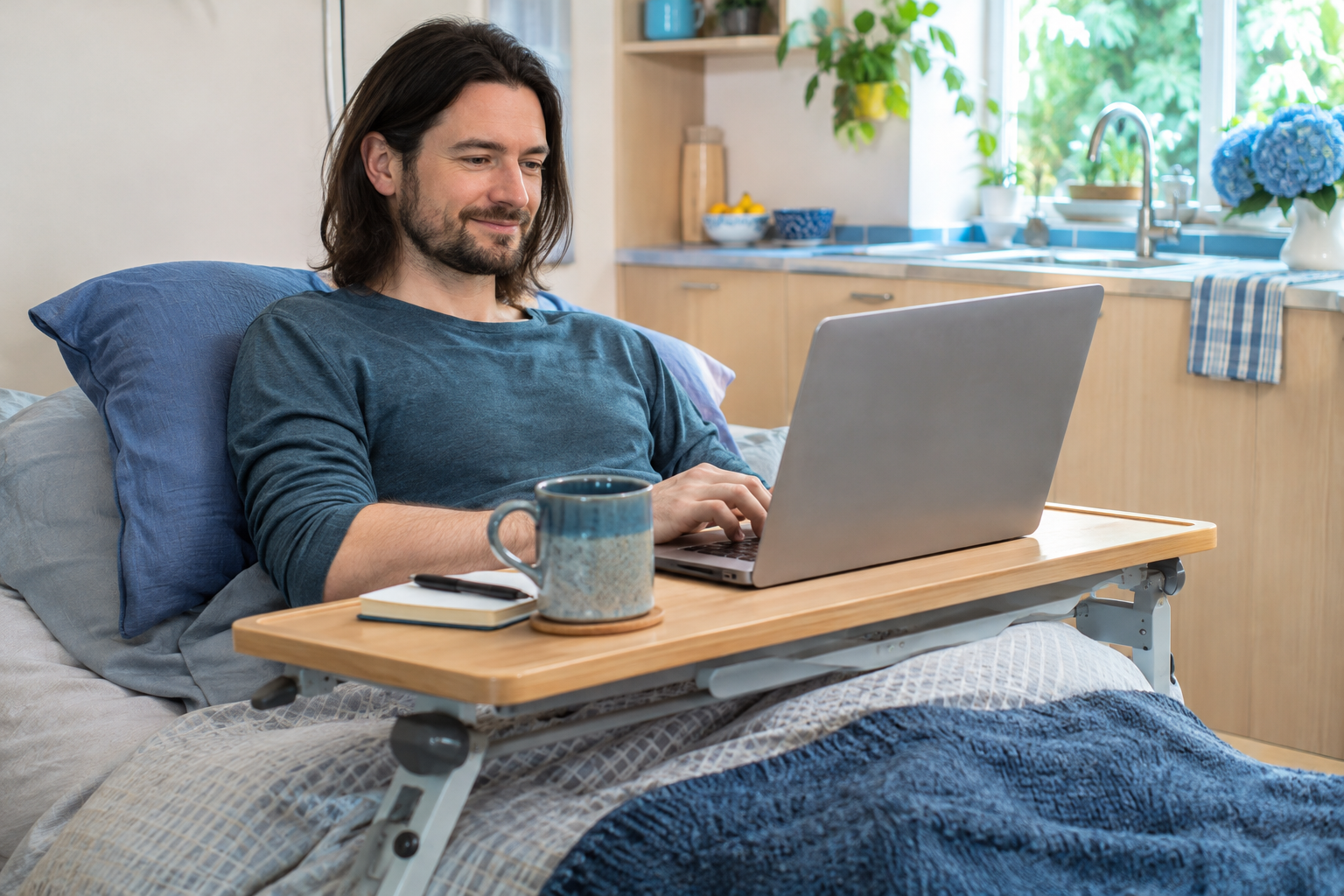
    Sometimes bed is the only place you can tolerate being, and a small amount of work still feels necessary or meaningful. A supported setup may make that choice easier, but working from bed is still work. It does not provide the same rest as putting the task down.

    Keep the arrangement simple

    Use a stable surface designed to hold the device safely, with ventilation unobstructed. Position the screen so you are not straining to see it, and support your arms where comfortable. Keep chargers, drinks, and cables arranged to reduce spills, overheating, and tangles.

    If raising the screen makes typing awkward, a separate keyboard may help. Avoid balancing a heavy device where it could fall onto you. Ask for assistance moving equipment if lifting or reaching worsens symptoms.

    Give the task an endpoint

    Choose one defined piece of work, such as reviewing a short document, rather than opening the whole day’s inbox. Leave room to stop sooner. Cognitive effort can be demanding even when you are lying down, especially if you experience post-exertional symptom worsening.

    If symptoms are severe, sick leave or a change in expectations may be more appropriate than a better tray. Discuss recurring needs with your employer or care team. You do not owe productivity from every resting place. The setup is an option for your use, not a standard you must meet when you are unwell.

  • Creating an Accessible Crafting Space

    Creating an Accessible Crafting Space

    An accessible crafting space does not have to look like a studio. It might be one tray, a comfortable chair, and the materials for a project you genuinely want to make. The space should reduce the effort between you and the enjoyable part.

    Bring the most-used supplies close

    Keep frequently used tools within a comfortable reach and use smaller containers if large boxes are heavy. A stable work surface and suitable lighting can make it easier to see without leaning awkwardly. Store sharp tools, adhesives, and small parts safely, especially in a shared home.

    Notice where the setup asks for a difficult grip or repeated movement. Larger handles, a different tool, or a simpler technique may be worth exploring. Avoid buying an entire new system before testing one useful change.

    Plan a gentle stopping point

    Choose a way to set the work down safely without having to tidy everything immediately. A lidded project box or tray can make it easier to return later. Include cleanup in your sense of how demanding the activity will be.

    Creative time does not need to result in a finished object or a product to sell. You can enjoy choosing colors, making a few stitches, or simply arranging the materials. If crafting worsens symptoms, scale back and seek individualized advice. Your interest deserves room, even when your pace changes.